
Displaying your brand on the pitch is a powerful way to increase engagement and visibility during live matches. In LivematchPro, logos placed on bands within the game tracker allow you to showcase team, sponsor, or brand identities directly to your audience. This guide explains how to change and customize those logos so your live events always look polished and professional.
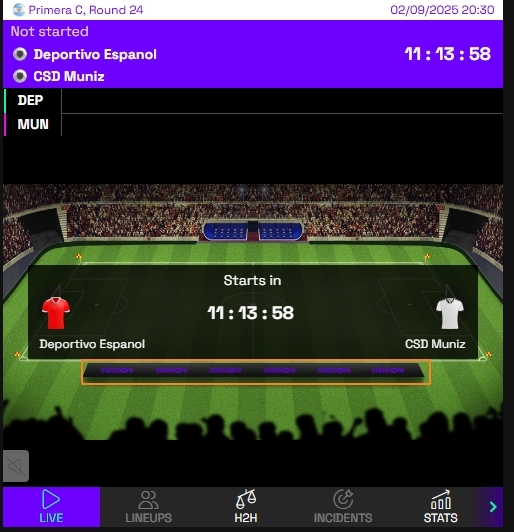
Step-by-step guide
To change logo on bands on your need to have enabled “LiveBannerAllSports” configuration in backoffice. Please ask our Delivery Team if you have LiveBanners enabled.
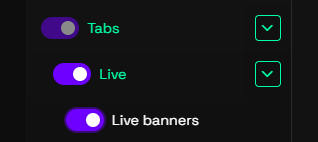
Next, enable “Live banners” option. You can find it under “Tabs” → “Live” tab in you Widget configurator.
Now you should be able to upload your logo to the Live banner. Click on “Live banners” tab to see the upload picute option. You can also add banner redirection URL if you wish.
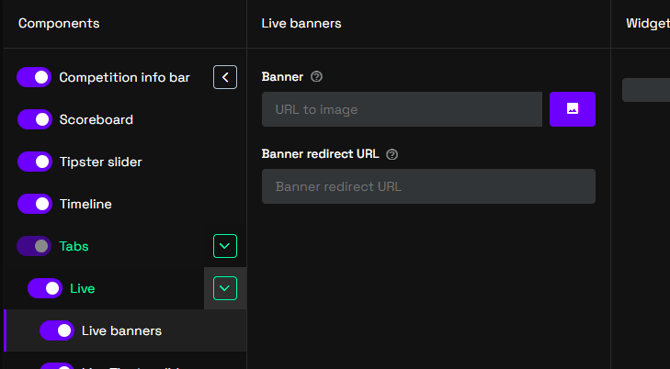
Suggested size of the logo is 100x25 pixels in .png or .jpg format.